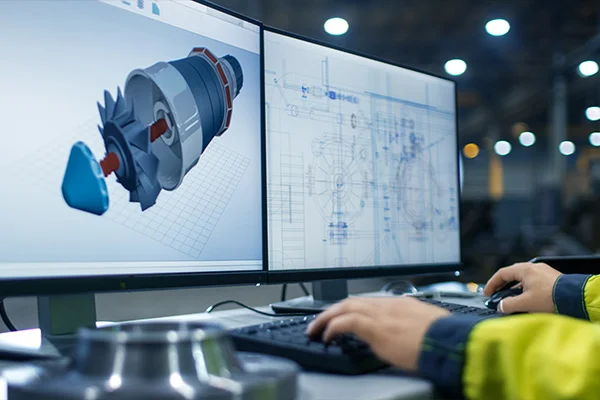
Reverse Engineering CAD Engineering Services

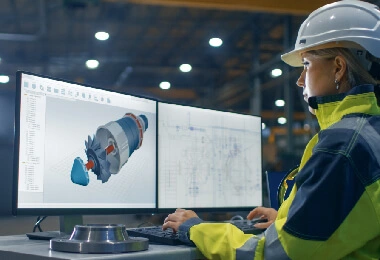
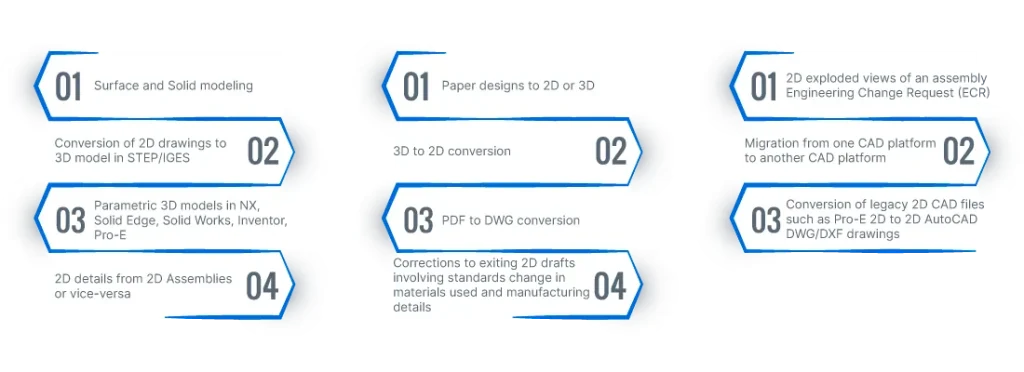
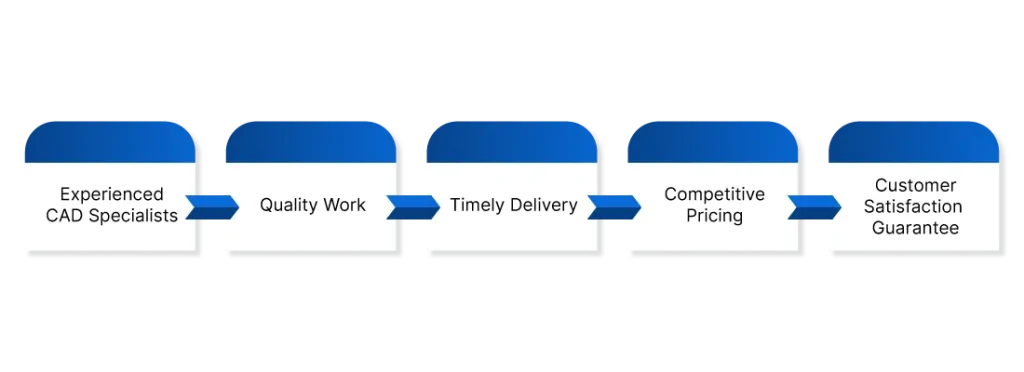
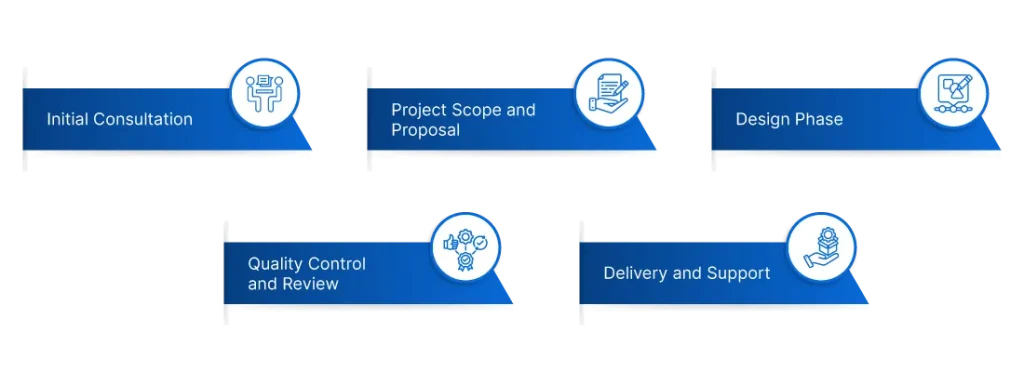
Are you looking for high-quality and accurate 3D CAD design services for your next project? Look no further! Our team of experienced CAD specialists is here to help you bring your designs to life. We offer a wide range of CAD design services, including 3D modeling, 2D drafting, conversion, and migration services. Our CAD design process is transparent, efficient, and collaborative. We work closely with our clients to understand their requirements, and we provide regular updates throughout the design process to ensure that the final designs meet their expectations. Our process includes an initial consultation, project scope and proposal, design phase, quality control and review, and delivery and support. With our CAD design services, we can assure you of working with experienced CAD specialists who deliver quality work on time and at a competitive price.

Poor CollaborPoor Collaboration Shouldn’t Slow You Down You know the feeling your design team updates a model, but the change doesn’t reflect in production. Or your sourcing team can’t access the latest BOM version because it’s buried in someone else’s inbox. These delays cost time, create confusion, and slow down delivery. Most manufacturers use multiple software systems across departments CAD for design, ERP for planning, MES for execution, and sometimes even spreadsheets for critical decisions. But when these tools don’t talk to each other, you lose out on speed, accuracy, and clarity. This is where PLM Connectors can make all the difference. When Systems Don’t Talk, Teams Stop Listening Modern manufacturing requires fast communication between teams spread across functions, locations, and platforms. But most companies still struggle with: These aren’t just productivity issues they’re bottlenecks that directly affect your delivery timelines and customer satisfaction. The more tools you use, the more you risk losing data in handoffs. Engineers may work with outdated drawings. Procurement might order parts based on old specs. Quality teams may inspect the wrong revision. In a recent study by TechNewsWorld, 78% of manufacturers reported data silos as a key barrier to operational agility. That’s not just frustrating it’s expensive. PLM Connectors Help You Bring It All Together Here’s where PLM Connectors come in. A PLM (Product Lifecycle Management) system is meant to be the backbone of your engineering data. But its true power lies in how well it connects with other platforms CAD, ERP, MES, CRM, and more. That’s the job of PLM connectors. A PLM connector acts as a bridge. It synchronises data automatically between tools. It ensures that everyone from the design engineer to the shop floor technician is working with the same, most updated information. Here’s what the right PLM connector can help you do: Let’s take a real-world scenario: An automotive parts manufacturer uses separate tools for design (SOLIDWORKS), project tracking (JIRA), and resource planning (SAP). Before integration, BOM updates needed to be shared via email or exported manually, leading to version mismatches. After implementing a custom PLM connector, BOM changes reflected instantly across systems. Result? Fewer errors, faster approvals, and greater trust between teams. PLM Connectors Are Not Just for the Big Guys You don’t need a global footprint to benefit from PLM integration. Even mid-sized manufacturers face the same challenges just with fewer resources to manage them. In such cases, PLM connectors can provide unmatched efficiency without the need to overhaul existing systems. According to research from ZENESYS, small and medium enterprises using PLM integrations saw a 25% improvement in project timelines and reduced change-related errors by 30%. That’s a serious edge in today’s competitive market. Key Features to Look For in PLM Connectors Not all connectors are made equal. Here’s what manufacturers should look for: Cross-platform compatibility Supports major CAD, ERP, MES, and PDM systems. Real-time data synchronisation Ensures all users see the latest updates. Secure data handling Compliant with ISO and CMMI standards. Custom workflows Adapts to your business logic and process rules. Scalability Works for both single-site and multi-plant setups. Why Manufacturers Choose Prescient’s PLM Connectors Prescient Technologies offers tailored PLM connector solutions that integrate engineering and manufacturing software with minimal disruption. With two decades of experience in CAD/PLM software development, Prescient builds connectors that: Prescient’s connectors are designed specifically for the manufacturing sector, supporting both legacy systems and modern cloud platforms. Key Takeaways Let’s Talk About Smarter Collaboration Still relying on manual data transfers and siloed tools? It’s time to simplify how your teams work together. Prescient Technologies can help you connect your PLM system with CAD, ERP, MES, and more ensuring your teams stay in sync and move faster. Contact us today to explore our custom-built PLM Connectors for manufacturers. Explore more from Prescient TechnologiesDiscover how our other solutions factoryCONNECT, machineCONNECT, and powerCONNECT can drive digital transformation across your plant
Read More
Why Manufacturing Companies Are Embracing PLM Teamcenter Have you ever wondered how top manufacturing companies keep every product detail organised from concept to delivery? They use tools like PLM Teamcenter Implementation Services to manage their entire product lifecycle. Whether you are a student entering the industry, a job seeker preparing for interviews, or someone aiming to improve your communication skills through spoken English classes in Pune, understanding how digital tools like Teamcenter work can give you an edge. Today’s manufacturers are under pressure to launch better products faster. Mistakes or miscommunication in product design can delay delivery and increase costs. That’s where PLM (Product Lifecycle Management) software steps in. Among the top choices in the market, Siemens’ Teamcenter stands out as a dependable solution. What is PLM Teamcenter? Teamcenter is a widely used PLM software developed by Siemens. It helps manufacturing companies manage their product data, engineering changes, design workflows, and compliance requirements all in one place. With the help of PLM Teamcenter Implementation Services, companies can connect departments, avoid duplication of work, and improve collaboration between engineering, quality, procurement, and manufacturing teams. How PLM Teamcenter Helps Manufacturing Companies Here are a few ways Teamcenter brings clarity, consistency, and control to complex manufacturing environments:1. Centralised Product Information Companies often struggle with scattered files and outdated product versions. Teamcenter allows everyone in the team to access the most updated version of a product design from a single source of truth.“Manufacturers that centralise their product data see up to a 40% improvement in design accuracy,” according to TechCrunch.2. Faster Product Development Design teams can reuse existing components, automate repetitive tasks, and track changes with ease. This reduces the product development cycle significantly. With everything streamlined, businesses can bring products to market faster and reduce operational costs. 3. Improved Collaboration Whether your team is sitting in Pune or across the globe, Teamcenter enables real-time collaboration. It allows multiple users to work on a project simultaneously without errors.This is similar to what learners achieve through online English coaching a smooth, collaborative experience no matter where they are located.4. Better Change Management Product design changes are inevitable. Teamcenter keeps a record of who made what change and when. This traceability prevents confusion, reduces rework, and ensures compliance with industry standards. Why It Matters to You as a Professional or Learner You may be asking, “Why should I care about Teamcenter if I’m only starting out or looking for English for job interviews?” Here’s the thing: Most engineering or manufacturing job descriptions today list knowledge of PLM software as a bonus skill. If you’re familiar with the basics of PLM Teamcenter Implementation Services, you already stand out to potential employers. Just as best English speaking courses prepare you for global communication, learning about Teamcenter prepares you for modern engineering workplaces. Whether you’re a student in your final year, attending fluency training to boost your communication, or a working professional aiming for career growth, this knowledge helps in: Real-World Benefits of PLM Teamcenter Implementation Here’s what companies achieve by implementing Teamcenter:Reduced Time-to-Market Designs are approved faster, production starts on time, and launches face fewer delays.Cost Savings Fewer design errors mean fewer resources wasted. According to Talentica, companies using PLM effectively reduce design errors by up to 35%.Regulatory Compliance For industries like automotive and aerospace, Teamcenter simplifies documentation and compliance checks.Scalable Integration As companies grow, Teamcenter grows with them supporting everything from CAD tools to ERP systems. How Prescient Technologies Makes It Simple Prescient Technologies offers expert PLM Teamcenter Implementation Services tailored to manufacturing companies. From system setup to team training, we ensure that your product data is structured, accessible, and secure. We also focus on integration with CAD, ERP, and legacy systems, ensuring you don’t lose valuable data while moving forward with innovation. If you’re someone learning communication through online English coaching, think of this as learning to organise your thoughts clearly. Prescient helps businesses organise their design data just as effectively. Key Takeaways Want to Learn More About PLM Teamcenter? Whether you’re preparing for a job interview or upgrading your company’s product development process, understanding PLM tools can help. Contact us to know how our PLM Teamcenter Implementation Services can improve your business workflows. Explore our offerings today and discover how Prescient Technologies can support your digital transformation.
Read More
Manufacturers in the USA face rising pressure to improve consistency and reduce downtime. You deal with labour shortages, energy fluctuations, and machine unpredictability almost every day. AI agents give you a practical way to manage these challenges because they work like dependable digital teammates inside your factory. How AI Agents Support Autonomous Manufacturing Many manufacturers want systems that adjust on their own. Reports on TechCrunch show that multi-agent AI is growing because factories want quicker decisions and better resource usage. Traditional automation does not adapt fast enough, but AI agents learn and communicate with each other, so your factory reacts in real time. AI agents support three core areas that affect your daily performance: scheduling, energy usage, and predictive maintenance. Scheduling Agents Reduce Production Delays Production schedules change quickly. A slowdown in one area impacts the rest of your line. AI scheduling agents track machine loads and shift tasks when they detect an issue.Insights from Wired highlight how these agents reduce manual intervention because they react earlier and maintain flow. You get smoother scheduling because the system updates itself as soon as conditions change. Energy Agents Help You Lower Power Consumption Energy prices continue to affect margins for manufacturers in the USA. AI energy agents monitor usage patterns and alert you when consumption rises unexpectedly.Reports from TechVersions indicate that AI-based energy management reduces waste because the system responds before manual checks catch the issue. Energy agents help you identify peak loads and prevent unnecessary power spikes. Predictive Maintenance Agents Reduce Machine Failures Unexpected breakdowns increase repair costs and slow down production. Predictive maintenance agents check vibration, temperature, and other machine signals in real time.Information from TechNewsWorld shows that AI-driven maintenance systems reduce downtime because they detect small issues before they turn into failures. You gain confidence because you see machine conditions earlier and plan maintenance based on real risks, not guesswork. AI agents work smoothly when connected to Remote Monitoring dashboards. This is where an experienced AI Agent Development Company helps you because custom-built agents integrate into your machine layer and your MES Software without disrupting your existing systems. Why Multi-Agent Systems Work Well with MES and Remote Monitoring MES software gives you a structured view of your production floor, but MES alone does not adapt quickly. AI agents support MES by making small decisions and passing the results to your system. You get information that is updated more often and more accurately. How AI Agents Improve MES Workflows The Verge shares that factories using AI for decision-making improve quality because the system learns from continuous feedback. How AI Agents Improve Remote Monitoring A dependable AI Agent Development Company helps you combine these agents with your Remote Monitoring setup so your team gains one clear view of machine health. Why Manufacturers in the USA Benefit from Multi-Agent Systems Many US manufacturers operate large facilities with machines of different ages and capabilities. AI agents fit easily into mixed environments because each agent handles one task and shares its findings with the rest. You modernise your factory one step at a time without replacing your entire infrastructure. Key Takeaways Build a Smarter, More Predictable Factory with AI Agents You can improve uptime and increase visibility by using AI agents with machine data.machineCONNECT gives you real-time machine insights and works well with AI agents for predictive maintenance and scheduling. Contact Prescient Technologies to learn how AI agents can support your autonomous manufacturing goals.
Read More