Reverse Engineering CAD Engineering Services

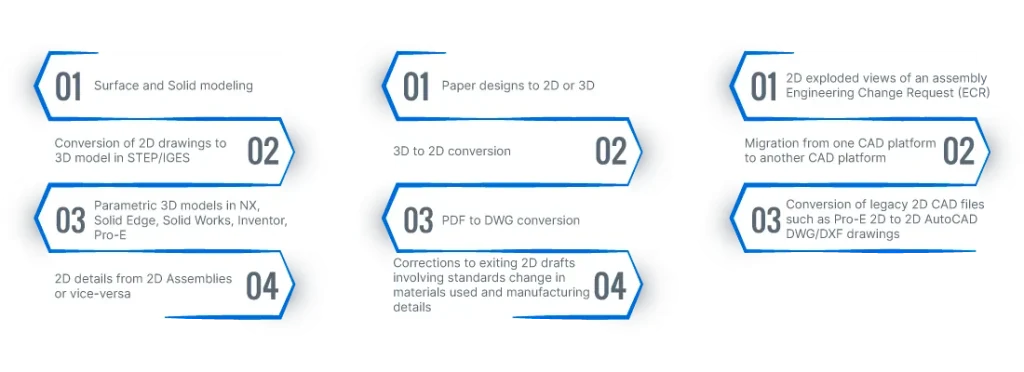
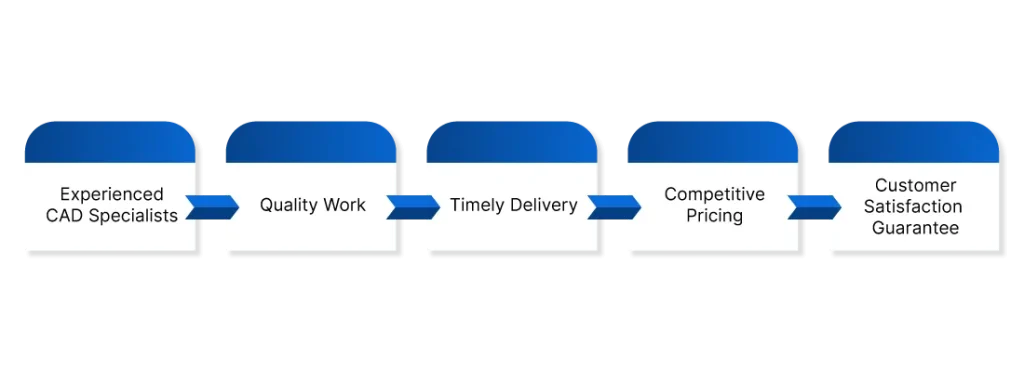
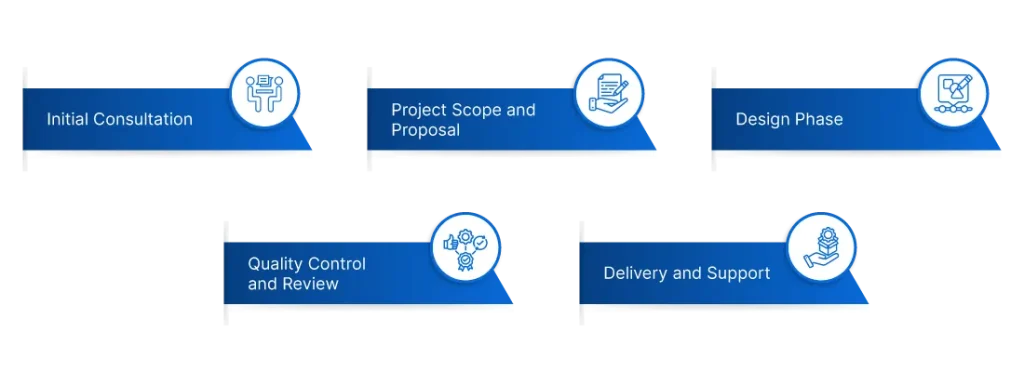
Are you looking for high-quality and accurate 3D CAD design services for your next project? Look no further! Our team of experienced CAD specialists is here to help you bring your designs to life. We offer a wide range of CAD design services, including 3D modeling, 2D drafting, conversion, and migration services. Our CAD design process is transparent, efficient, and collaborative. We work closely with our clients to understand their requirements, and we provide regular updates throughout the design process to ensure that the final designs meet their expectations. Our process includes an initial consultation, project scope and proposal, design phase, quality control and review, and delivery and support. With our CAD design services, we can assure you of working with experienced CAD specialists who deliver quality work on time and at a competitive price.
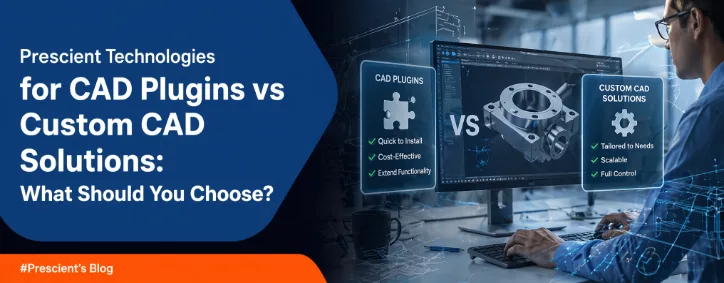
Have you ever felt that your CAD tools are slowing you down instead of helping you move faster? Many engineering teams face this as their design processes grow more complex. The Growing Challenge in CAD Workflows CAD tools play a key role in product design and manufacturing. You depend on them for modelling, simulation, and collaboration. But as your workflows expand, standard tools may not keep up. Insights discussed on TechCrunch and Wired show that engineering teams are moving towards automation and customisation to reduce manual effort and improve efficiency. Where the Problem Begins You may start with standard CAD software. It works fine at first. But over time, you may notice: These problems can affect your productivity and increase project timelines. CAD Plugins vs Custom CAD Solutions: Understanding the Difference What Are CAD Plugins? CAD plugins are add-ons that extend the functionality of your existing CAD software. You can install them quickly and use additional features without major changes. Key Benefits Limitations Plugins are useful when your requirements are simple and short-term. What Are Custom CAD Solutions? Custom CAD solutions are built specifically for your business needs. They are designed to match your workflows and improve efficiency. Key Benefits Challenges Custom solutions are better suited for complex and evolving workflows. CAD Plugins vs Custom CAD Solutions: Key Differences Flexibility Plugins offer limited flexibility. You can only use what is available.Custom solutions allow you to build workflows based on your exact needs. Cost Perspective Plugins are cheaper at the start. But costs may increase over time.Custom solutions require investment upfront but can reduce long-term costs. Scalability Plugins may not support growth effectively.Custom solutions can expand as your requirements grow. Integration Plugins often have limited integration capabilities.Custom solutions can connect easily with other systems. According to insights from The Verge, integration and automation are key for modern engineering environments. When Should You Choose CAD Plugins? You can consider plugins if: Plugins work well for small improvements or temporary needs. When Should You Choose Custom CAD Solutions? You should consider custom solutions if: Custom CAD solutions support long-term growth and efficiency. How Prescient Technologies Supports You Prescient Technologies is an engineering software company with strong expertise in CAD/PLM development and digital factory solutions. You can work with a team that understands both engineering and software challenges. What You Get Their approach focuses on solving real problems that engineering teams face every day. The Future of CAD: Why Customisation Matters CAD is evolving with automation and AI-driven tools. Engineering teams are moving towards smarter workflows. Insights from Engadget suggest that automation in engineering continues to grow as companies aim to improve efficiency. You may notice that standard tools alone are not enough anymore. Customisation is becoming essential for staying competitive. Conclusion Choosing between CAD plugins and custom CAD solutions depends on your business needs. Key Takeaways FAQs 1. What is the main difference between CAD plugins and custom CAD solutions? CAD plugins are ready-made add-ons with limited flexibility. Custom CAD solutions are built specifically for your workflows and offer more control. 2. Are CAD plugins enough for large manufacturing companies? Plugins may not be enough for large companies. Complex workflows often need custom solutions for better automation and integration. 3. Is custom CAD development expensive? Custom CAD development requires a higher initial investment. But it can reduce long-term costs by improving efficiency and reducing manual work. 4. Can custom CAD solutions integrate with existing systems? Yes, custom solutions can integrate with PLM, MES, and other systems. This helps create a connected and efficient workflow. 5. How do I decide which option is right for me? You should evaluate your workflow complexity, budget, and long-term goals. Simple needs may work with plugins, but complex processes often need custom solutions.
Read More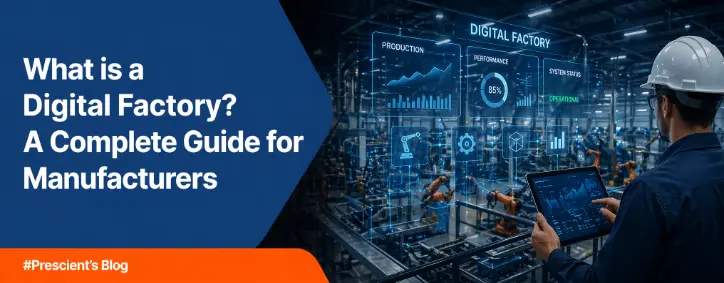
Introduction Manufacturing is changing fast. You may already feel pressure to reduce costs and improve quality. You also need to deliver products faster than before. Traditional systems often struggle to meet these demands. A Digital Factory can help you handle these challenges. It connects your machines, data, and processes into one system. You get better control and faster decision-making. What is a Digital Factory? A Digital Factory is a manufacturing environment where digital technologies manage and improve production processes. It uses tools like IoT, AI, and MES software to create a connected system. You can monitor operations in real time and make quick decisions. This helps reduce errors and improve efficiency. Why Traditional Manufacturing Falls Short Many factories still use disconnected systems. You may face issues like: These problems slow your growth and increase costs. Recent insights shared on platforms like TechCrunch highlight that digital adoption in manufacturing is helping companies improve operational efficiency significantly. Key Technologies Behind a Digital Factory 1. Internet of Things (IoT) Sensors collect real-time data from machines. You can track performance and detect issues early. 2. Artificial Intelligence (AI) AI helps you analyse large data sets. It can predict failures and suggest improvements. 3. Manufacturing Execution Systems (MES) MES software connects shop-floor operations with business systems. You can track production in real time. 4. Digital Twin Technology A digital twin creates a virtual model of your factory. You can test changes before applying them. These technologies together form strong Digital Factory solutions. Core Benefits of a Digital Factory Improved Efficiency You can monitor each stage of production. This helps reduce delays. Real-Time Production Monitoring You get live updates on operations. This allows faster action. Predictive Maintenance You can detect machine issues early and avoid downtime. Better Quality Control Automated checks help maintain consistent quality. Cost Reduction You reduce waste and manual effort. This lowers operational costs. How Digital Factory Supports Industry 4.0 Industry 4.0 focuses on automation and data exchange. A Digital Factory plays a key role in this shift. Insights from Wired show that manufacturers are moving towards connected and flexible systems to stay competitive. You can align your operations with Industry 4.0 using digital tools. Real-World Use Cases Smart Production Planning You can adjust schedules based on demand and machine availability. Remote Machine Monitoring You can track machines from any location. This reduces downtime. Energy Management You can monitor energy use and reduce costs. Quality Inspection Vision systems help detect defects early. Challenges in Implementing a Digital Factory You may face some challenges: A clear strategy helps you handle these challenges. How to Start Your Digital Factory Journey You can follow these steps: This approach reduces risk and improves results. Why Choose Prescient Technologies for Digital Factory Solutions Prescient Technologies is a leading engineering software company with deep expertise in CAD/PLM and digital factory solutions . You can use their solutions to build a connected factory: These tools help you improve visibility and efficiency. Conclusion: The Future of Manufacturing is Digital A Digital Factory is becoming essential for modern manufacturers. You can improve efficiency and reduce costs with the right approach. The shift may take time, but the benefits are clear. You can build a smarter and more flexible factory. Key Takeaways FAQs on Digital Factory 1. What is a Digital Factory in simple terms? A Digital Factory is a manufacturing setup where digital tools connect machines and processes. You can monitor operations in real time. 2. How is a Digital Factory different from traditional manufacturing? Traditional systems are often disconnected. A Digital Factory connects everything and improves visibility. 3. What technologies are used in a Digital Factory? It includes IoT, AI, MES, and digital twin technology. 4. What are the benefits of Digital Factory solutions? You get better efficiency, reduced downtime, and improved quality. 5. How does a Digital Factory support Industry 4.0? It enables automation and data-driven decisions, which are key parts of Industry 4.0. 6. What is the role of MES in a Digital Factory? MES software helps you track production and manage workflows in real time. 7. Can small manufacturers adopt a Digital Factory? Yes, you can start small and expand over time. 8. What are the challenges of implementing a Digital Factory? Common challenges include cost, integration, and skill gaps. 9. How does predictive maintenance work? AI analyses machine data to detect early signs of failure. 10. How can Prescient Technologies help? Prescient provides tools like factoryCONNECT, machineCONNECT, and powerCONNECT to help you build a smart factory.
Read More
Have you ever looked at your factory’s electricity bill and wondered where the energy actually goes? You see rising costs, but you do not see clear answers. Manufacturing companies across North America, Europe, and India are under pressure to reduce energy expenses and meet sustainability goals. Factory owners and engineers need visibility. R&D teams need control. Yet many organisations confuse an Energy Monitoring System with an Energy Management System. Understanding the difference between energy monitoring and energy management is essential if you want real cost savings and operational improvement. Why Energy Control Matters in Modern Manufacturing Energy costs form a large part of operational expenses in manufacturing. Smart factories now rely on connected machines, automation systems, and digital tools. As operations become more data-driven, energy performance also becomes measurable. You cannot reduce what you cannot see. But visibility alone is not enough. This is where confusion often begins. You install an Energy Monitoring System, but expect it to automatically optimise consumption. When it does not, you assume the technology failed. In reality, you may have chosen the wrong system for your goals. What is an Energy Monitoring System? An Energy Monitoring System focuses on tracking and visualising energy usage. It collects data from meters, sensors, and connected equipment. It then displays that data in dashboards or reports. A real-time energy monitoring system provides continuous visibility into consumption behaviour across machines and departments. Key Capabilities You gain transparency into where energy is being consumed. In manufacturing, this helps you – However, an Energy Monitoring System mainly observes and reports. It does not automatically control or optimise energy usage. Think of it as your energy dashboard. It tells you what is happening right now. What is an Energy Management System? An Energy Management System goes beyond monitoring. It not only collects energy data but also analyses it and drives optimisation actions. It connects energy performance with production decisions and operational planning. Core Functions Instead of just showing energy data, the system helps you reduce consumption. In manufacturing environments, an Energy Management System can – This is where the real difference between energy monitoring and energy management becomes clear. Direct Comparison: Energy Monitoring vs Energy Management To clearly understand energy monitoring vs energy management in manufacturing, the comparison below highlights operational differences. Parameter Energy Monitoring System Energy Management System Main Objective Visibility and tracking Optimisation and control Data Usage Displays energy data Analyses and acts on data Automation Level Minimal High Cost Reduction Indirect Direct and measurable Manufacturing Impact Identifies inefficiencies Corrects inefficiencies Integration Standalone dashboards Integrated with MES and production Monitoring answers:“What is my energy consumption right now?” Management answers –“How do I reduce it without affecting production?” That is the fundamental difference between energy monitoring and energy management. Why Monitoring Alone is Not Enough Many factories begin with an Energy Monitoring System. This is a logical first step because you need baseline data before improvement. But data without a strategy does not lead to savings. If you only monitor energy: An Energy Management System closes this gap. It transforms insights into structured improvement plans and measurable cost reductions. Real-World Example in Manufacturing Imagine your plant operates heavy machinery during peak tariff hours. A real-time energy monitoring system will show high consumption during those hours. It will highlight the spike clearly in your dashboard. But an Energy Management System can – This practical scenario demonstrates the operational difference between energy monitoring and energy management in manufacturing. How EMS Fits into Smart Manufacturing Industry 4.0 encourages connected systems, automation, and data-driven decision-making. Energy performance is now part of the digital factory conversation. Modern smart factories integrate: An Energy Monitoring System provides the data foundation. An Energy Management System becomes part of broader smart manufacturing software solutions, aligning energy efficiency with production efficiency. This alignment is critical for factories in the USA, Germany, France, the UK, and India, where energy costs and sustainability targets continue to rise. When Should You Choose Each System? Business Requirement Recommended System No visibility into plant energy usage Energy Monitoring System Need baseline performance data Energy Monitoring System Want measurable energy savings Energy Management System Need peak demand optimisation Energy Management System Plan to integrate with production systems Energy Management System In many cases, manufacturers start with monitoring and then scale toward management as part of digital transformation. Common Misconceptions Misconception 1: Both systems are the same. The terminology is similar, but their operational roles differ significantly. Misconception 2: Monitoring automatically reduces costs. Monitoring highlights problems. Management solves them. Misconception 3: Energy systems operate separately from production. In modern manufacturing, energy performance directly affects operational efficiency. How Prescient Technologies Supports Smart Energy Prescient Technologies has strong expertise in engineering software and digital factory systems. Its PowerConnect platform supports intelligent energy tracking and optimisation within manufacturing environments. By integrating energy systems with machine data and production workflows, you gain a structured path from simple monitoring to active management. This structured integration strengthens cost control, compliance readiness, and operational efficiency across competitive markets. Key Takeaways You do not need to guess where your energy goes. You can measure it. You can manage it. And you can align it with your production strategy. Ready to Strengthen Your Energy Strategy? If you want to move beyond basic monitoring and build a structured energy optimisation framework, Prescient Technologies can help. Explore how PowerConnect and Prescient’s digital factory expertise support your journey from energy visibility to measurable performance improvement. Contact Prescient Technologies today to strengthen your manufacturing energy strategy.
Read More