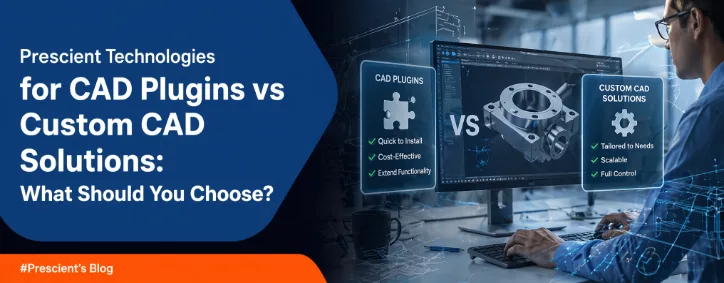
CAD Plugins vs Custom CAD Solutions: What Should You Choose?
Have you ever felt that your CAD tools are slowing you down instead of helping you move faster? Many engineering teams face this as their design processes grow more complex. The Growing Challenge in CAD Workflows CAD tools play a key role in product design and manufacturing. You depend on them for modelling, simulation, and collaboration. But as your workflows expand, standard tools may not keep up. Insights discussed on TechCrunch and Wired show that engineering teams are moving towards automation and customisation to reduce manual effort and improve efficiency. Where the Problem Begins You may start with standard CAD software. It works fine at first. But over time, you may notice: These problems can affect your productivity and increase project timelines. CAD Plugins vs Custom CAD Solutions: Understanding the Difference What Are CAD Plugins? CAD plugins are add-ons that extend the functionality of your existing CAD software. You can install them quickly and use additional features without major changes. Key Benefits Limitations Plugins are useful when your requirements are simple and short-term. What Are Custom CAD Solutions? Custom CAD solutions are built specifically for your business needs. They are designed to match your workflows and improve efficiency. Key Benefits Challenges Custom solutions are better suited for complex and evolving workflows. CAD Plugins vs Custom CAD Solutions: Key Differences Flexibility Plugins offer limited flexibility. You can only use what is available.Custom solutions allow you to build workflows based on your exact needs. Cost Perspective Plugins are cheaper at the start. But costs may increase over time.Custom solutions require investment upfront but can reduce long-term costs. Scalability Plugins may not support growth effectively.Custom solutions can expand as your requirements grow. Integration Plugins often have limited integration capabilities.Custom solutions can connect easily with other systems. According to insights from The Verge, integration and automation are key for modern engineering environments. When Should You Choose CAD Plugins? You can consider plugins if: Plugins work well for small improvements or temporary needs. When Should You Choose Custom CAD Solutions? You should consider custom solutions if: Custom CAD solutions support long-term growth and efficiency. How Prescient Technologies Supports You Prescient Technologies is an engineering software company with strong expertise in CAD/PLM development and digital factory solutions. You can work with a team that understands both engineering and software challenges. What You Get Their approach focuses on solving real problems that engineering teams face every day. The Future of CAD: Why Customisation Matters CAD is evolving with automation and AI-driven tools. Engineering teams are moving towards smarter workflows. Insights from Engadget suggest that automation in engineering continues to grow as companies aim to improve efficiency. You may notice that standard tools alone are not enough anymore. Customisation is becoming essential for staying competitive. Conclusion Choosing between CAD plugins and custom CAD solutions depends on your business needs. Key Takeaways FAQs 1. What is the main difference between CAD plugins and custom CAD solutions? CAD plugins are ready-made add-ons with limited flexibility. Custom CAD solutions are built specifically for your workflows and offer more control. 2. Are CAD plugins enough for large manufacturing companies? Plugins may not be enough for large companies. Complex workflows often need custom solutions for better automation and integration. 3. Is custom CAD development expensive? Custom CAD development requires a higher initial investment. But it can reduce long-term costs by improving efficiency and reducing manual work. 4. Can custom CAD solutions integrate with existing systems? Yes, custom solutions can integrate with PLM, MES, and other systems. This helps create a connected and efficient workflow. 5. How do I decide which option is right for me? You should evaluate your workflow complexity, budget, and long-term goals. Simple needs may work with plugins, but complex processes often need custom solutions.
Read More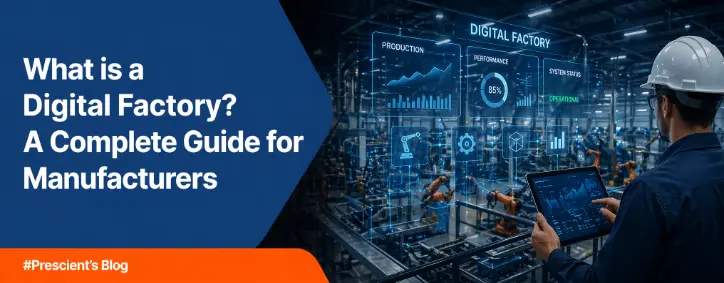
What is a Digital Factory? A Complete Guide for Manufacturers
Introduction Manufacturing is changing fast. You may already feel pressure to reduce costs and improve quality. You also need to deliver products faster than before. Traditional systems often struggle to meet these demands. A Digital Factory can help you handle these challenges. It connects your machines, data, and processes into one system. You get better control and faster decision-making. What is a Digital Factory? A Digital Factory is a manufacturing environment where digital technologies manage and improve production processes. It uses tools like IoT, AI, and MES software to create a connected system. You can monitor operations in real time and make quick decisions. This helps reduce errors and improve efficiency. Why Traditional Manufacturing Falls Short Many factories still use disconnected systems. You may face issues like: These problems slow your growth and increase costs. Recent insights shared on platforms like TechCrunch highlight that digital adoption in manufacturing is helping companies improve operational efficiency significantly. Key Technologies Behind a Digital Factory 1. Internet of Things (IoT) Sensors collect real-time data from machines. You can track performance and detect issues early. 2. Artificial Intelligence (AI) AI helps you analyse large data sets. It can predict failures and suggest improvements. 3. Manufacturing Execution Systems (MES) MES software connects shop-floor operations with business systems. You can track production in real time. 4. Digital Twin Technology A digital twin creates a virtual model of your factory. You can test changes before applying them. These technologies together form strong Digital Factory solutions. Core Benefits of a Digital Factory Improved Efficiency You can monitor each stage of production. This helps reduce delays. Real-Time Production Monitoring You get live updates on operations. This allows faster action. Predictive Maintenance You can detect machine issues early and avoid downtime. Better Quality Control Automated checks help maintain consistent quality. Cost Reduction You reduce waste and manual effort. This lowers operational costs. How Digital Factory Supports Industry 4.0 Industry 4.0 focuses on automation and data exchange. A Digital Factory plays a key role in this shift. Insights from Wired show that manufacturers are moving towards connected and flexible systems to stay competitive. You can align your operations with Industry 4.0 using digital tools. Real-World Use Cases Smart Production Planning You can adjust schedules based on demand and machine availability. Remote Machine Monitoring You can track machines from any location. This reduces downtime. Energy Management You can monitor energy use and reduce costs. Quality Inspection Vision systems help detect defects early. Challenges in Implementing a Digital Factory You may face some challenges: A clear strategy helps you handle these challenges. How to Start Your Digital Factory Journey You can follow these steps: This approach reduces risk and improves results. Why Choose Prescient Technologies for Digital Factory Solutions Prescient Technologies is a leading engineering software company with deep expertise in CAD/PLM and digital factory solutions . You can use their solutions to build a connected factory: These tools help you improve visibility and efficiency. Conclusion: The Future of Manufacturing is Digital A Digital Factory is becoming essential for modern manufacturers. You can improve efficiency and reduce costs with the right approach. The shift may take time, but the benefits are clear. You can build a smarter and more flexible factory. Key Takeaways FAQs on Digital Factory 1. What is a Digital Factory in simple terms? A Digital Factory is a manufacturing setup where digital tools connect machines and processes. You can monitor operations in real time. 2. How is a Digital Factory different from traditional manufacturing? Traditional systems are often disconnected. A Digital Factory connects everything and improves visibility. 3. What technologies are used in a Digital Factory? It includes IoT, AI, MES, and digital twin technology. 4. What are the benefits of Digital Factory solutions? You get better efficiency, reduced downtime, and improved quality. 5. How does a Digital Factory support Industry 4.0? It enables automation and data-driven decisions, which are key parts of Industry 4.0. 6. What is the role of MES in a Digital Factory? MES software helps you track production and manage workflows in real time. 7. Can small manufacturers adopt a Digital Factory? Yes, you can start small and expand over time. 8. What are the challenges of implementing a Digital Factory? Common challenges include cost, integration, and skill gaps. 9. How does predictive maintenance work? AI analyses machine data to detect early signs of failure. 10. How can Prescient Technologies help? Prescient provides tools like factoryCONNECT, machineCONNECT, and powerCONNECT to help you build a smart factory.
Read More
What is the difference between EMS (Energy monitoring system) and EMS (energy management system)
Have you ever looked at your factory’s electricity bill and wondered where the energy actually goes? You see rising costs, but you do not see clear answers. Manufacturing companies across North America, Europe, and India are under pressure to reduce energy expenses and meet sustainability goals. Factory owners and engineers need visibility. R&D teams need control. Yet many organisations confuse an Energy Monitoring System with an Energy Management System. Understanding the difference between energy monitoring and energy management is essential if you want real cost savings and operational improvement. Why Energy Control Matters in Modern Manufacturing Energy costs form a large part of operational expenses in manufacturing. Smart factories now rely on connected machines, automation systems, and digital tools. As operations become more data-driven, energy performance also becomes measurable. You cannot reduce what you cannot see. But visibility alone is not enough. This is where confusion often begins. You install an Energy Monitoring System, but expect it to automatically optimise consumption. When it does not, you assume the technology failed. In reality, you may have chosen the wrong system for your goals. What is an Energy Monitoring System? An Energy Monitoring System focuses on tracking and visualising energy usage. It collects data from meters, sensors, and connected equipment. It then displays that data in dashboards or reports. A real-time energy monitoring system provides continuous visibility into consumption behaviour across machines and departments. Key Capabilities You gain transparency into where energy is being consumed. In manufacturing, this helps you – However, an Energy Monitoring System mainly observes and reports. It does not automatically control or optimise energy usage. Think of it as your energy dashboard. It tells you what is happening right now. What is an Energy Management System? An Energy Management System goes beyond monitoring. It not only collects energy data but also analyses it and drives optimisation actions. It connects energy performance with production decisions and operational planning. Core Functions Instead of just showing energy data, the system helps you reduce consumption. In manufacturing environments, an Energy Management System can – This is where the real difference between energy monitoring and energy management becomes clear. Direct Comparison: Energy Monitoring vs Energy Management To clearly understand energy monitoring vs energy management in manufacturing, the comparison below highlights operational differences. Parameter Energy Monitoring System Energy Management System Main Objective Visibility and tracking Optimisation and control Data Usage Displays energy data Analyses and acts on data Automation Level Minimal High Cost Reduction Indirect Direct and measurable Manufacturing Impact Identifies inefficiencies Corrects inefficiencies Integration Standalone dashboards Integrated with MES and production Monitoring answers:“What is my energy consumption right now?” Management answers –“How do I reduce it without affecting production?” That is the fundamental difference between energy monitoring and energy management. Why Monitoring Alone is Not Enough Many factories begin with an Energy Monitoring System. This is a logical first step because you need baseline data before improvement. But data without a strategy does not lead to savings. If you only monitor energy: An Energy Management System closes this gap. It transforms insights into structured improvement plans and measurable cost reductions. Real-World Example in Manufacturing Imagine your plant operates heavy machinery during peak tariff hours. A real-time energy monitoring system will show high consumption during those hours. It will highlight the spike clearly in your dashboard. But an Energy Management System can – This practical scenario demonstrates the operational difference between energy monitoring and energy management in manufacturing. How EMS Fits into Smart Manufacturing Industry 4.0 encourages connected systems, automation, and data-driven decision-making. Energy performance is now part of the digital factory conversation. Modern smart factories integrate: An Energy Monitoring System provides the data foundation. An Energy Management System becomes part of broader smart manufacturing software solutions, aligning energy efficiency with production efficiency. This alignment is critical for factories in the USA, Germany, France, the UK, and India, where energy costs and sustainability targets continue to rise. When Should You Choose Each System? Business Requirement Recommended System No visibility into plant energy usage Energy Monitoring System Need baseline performance data Energy Monitoring System Want measurable energy savings Energy Management System Need peak demand optimisation Energy Management System Plan to integrate with production systems Energy Management System In many cases, manufacturers start with monitoring and then scale toward management as part of digital transformation. Common Misconceptions Misconception 1: Both systems are the same. The terminology is similar, but their operational roles differ significantly. Misconception 2: Monitoring automatically reduces costs. Monitoring highlights problems. Management solves them. Misconception 3: Energy systems operate separately from production. In modern manufacturing, energy performance directly affects operational efficiency. How Prescient Technologies Supports Smart Energy Prescient Technologies has strong expertise in engineering software and digital factory systems. Its PowerConnect platform supports intelligent energy tracking and optimisation within manufacturing environments. By integrating energy systems with machine data and production workflows, you gain a structured path from simple monitoring to active management. This structured integration strengthens cost control, compliance readiness, and operational efficiency across competitive markets. Key Takeaways You do not need to guess where your energy goes. You can measure it. You can manage it. And you can align it with your production strategy. Ready to Strengthen Your Energy Strategy? If you want to move beyond basic monitoring and build a structured energy optimisation framework, Prescient Technologies can help. Explore how PowerConnect and Prescient’s digital factory expertise support your journey from energy visibility to measurable performance improvement. Contact Prescient Technologies today to strengthen your manufacturing energy strategy.
Read More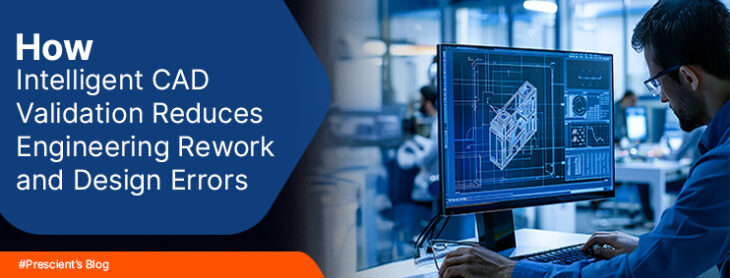
How Intelligent CAD Validation Reduces Engineering Rework and Design Errors
Have you ever released a design to manufacturing and then discovered errors that forced you back to the drawing board? Rework delays your launch and adds cost. It also affects your team’s confidence. Manufacturing companies in North America, Europe, and India face growing pressure to deliver accurate designs faster. Engineering and R&D teams deal with complex assemblies and tight tolerances. Factory owners expect fewer defects and better coordination between design and production. You may already use advanced CAD tools. But without CAD design validation software, design errors can slip through. Intelligent validation tools help you catch issues early and reduce costly iterations. The Real Cost of Engineering Rework Engineering rework is not just a technical issue. It affects your timelines, budgets, and customer satisfaction. The engineering software industry is evolving rapidly due to automation, AI, and digital integration. Companies now focus on precision and faster product cycles. Yet manual validation processes still cause: When these problems are detected late, you spend extra hours correcting models. You may also need to retool or scrap parts. A recent article on TechCrunch highlighted how AI-driven engineering tools are reshaping product development and reducing manual design errors. Industry leaders now stress the importance of embedding validation early in the design cycle. You may ask, how to reduce rework in product design without slowing innovation. The answer lies in intelligent and automated validation. What is Intelligent CAD Validation? Intelligent CAD validation uses automated CAD checking tools to verify design intent, standards compliance, and manufacturability rules. Instead of relying on manual review, the system automatically checks: This approach shifts error detection from late-stage review to real-time validation. You receive feedback while designing. Industry reports from sources such as Wired and The Verge have discussed how AI is entering engineering workflows. Design automation now supports generative design, simulation, and rule-based validation. Intelligent validation is a natural extension of this shift. How CAD Design Error Prevention Works in Practice 1. Rule-Based Validation Your engineering team defines validation rules based on manufacturing standards and past error patterns. The system checks each model against these rules. If a parameter violates the standard, the tool flags it immediately. This helps you achieve CAD design error prevention before the model reaches production. 2. Real-Time Feedback Modern automated CAD checking tools integrate directly into the design environment. You do not need to export files or run separate scripts. Real-time alerts help you fix errors early. This saves time and protects your project schedule. 3. Design for Manufacturability Checks Design for manufacturability software ensures that your design is production-ready. It verifies: You avoid sending non-manufacturable designs to the shop floor. 4. PLM Integration When you use PLM integrated CAD validation, your validation process connects with lifecycle data. This ensures: Integration bridges the gap between design and production. Why Manufacturing Companies Need Intelligent Validation The global CAD market continues to grow due to automation and the need for precise engineering. As product complexity increases, manual checking becomes less reliable. Manufacturing companies often operate across multiple locations. R&D teams in Europe collaborate with production units in North America or India. Without standardised validation, inconsistencies arise. Intelligent CAD design validation software helps you: You move closer to smart and connected operations supported by smart manufacturing software solutions. Connecting Validation to Smart Manufacturing Smart factories rely on connected systems such as MES, IoT monitoring, and digital twins. Design data feeds directly into manufacturing systems. If your CAD models contain errors, downstream systems inherit those problems. This affects machine settings, production planning, and quality control. Intelligent validation strengthens your digital thread. It ensures that only accurate and compliant models move forward. When combined with platforms like factoryCONNECT and machineCONNECT, validation becomes part of a larger digital ecosystem. Your design data flows smoothly into production monitoring and analytics. Measurable Benefits You Can Expect Reduced Engineering Rework Early detection of errors means fewer design iterations. You save engineering hours and reduce production delays. Faster Time to Market Automated checks remove bottlenecks in design review. Your product development cycle becomes more predictable. Improved Collaboration With PLM integrated CAD validation, teams across locations work on a single source of truth. Lower Manufacturing Costs Design for manufacturability software reduces scrap and retooling. You avoid costly late-stage corrections. Better Compliance Validation ensures adherence to internal standards and industry regulations. This is critical in sectors such as automotive and aerospace. From Problem to Prevention Many organisations are problem aware. They know rework is expensive. But they still rely on manual inspection and experience-based reviews. A shift towards intelligent CAD design error prevention changes your approach. Instead of correcting mistakes, you prevent them. This aligns with broader trends in AI-driven engineering discussed by TechCrunch and Wired. Automation and machine learning are becoming core to industrial software. You do not need to overhaul your entire system at once. Start by introducing automated CAD checking tools that integrate with your existing CAD and PLM environment. Why Choose a Specialist Engineering Software Partner Prescient Technologies has been working in CAD/PLM and engineering software development since 2000 . The company specialises in advanced CAD solutions and digital factory systems. Its expertise in CAD/PLM software development and digital factory integration positions it well to build intelligent validation capabilities . When you combine CAD design validation software with digital factory tools such as factoryCONNECT, machineCONNECT, and powerCONNECT, you create a strong foundation for error-free production. Key Takeaways You can reduce errors before they reach the shop floor. You can improve collaboration across geographies. You can protect your margins in a competitive manufacturing landscape. Ready to Reduce Rework in Your Engineering Process? If you want to understand how to reduce rework in product design and build a structured validation framework, Prescient Technologies can help. Explore how factoryCONNECT and Prescient’s custom CAD/PLM development services can strengthen your validation process and connect design with production. Contact Prescient Technologies today to learn how intelligent CAD validation can support your journey towards smarter manufacturing. when the external environment is challenging.
Read More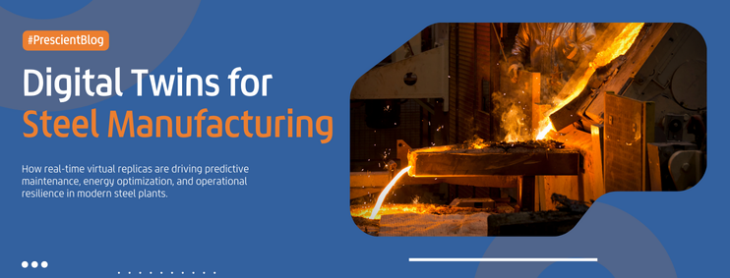
Why are Global Steelmakers Betting on Digital Twin Technology?
The global market is demanding a version of steelmaking that is faster, cleaner, and significantly more efficient. Why? Decades-old infrastructure in some regions, massive capital assets, and a workforce where traditional knowledge is going out as the older generation of labor enters retirement. The industry-wide pressure for modernization is driven by rising energy prices and unstable raw material costs. Add to that aggressive sustainability targets that look more like mandates than goals. In this environment, digital twin technology is moving into the limelight as a survival kit. The process is about creating a living, virtual replica of a physical asset that mirrors real-time operations, allowing engineers to peek into the future. 1. Defining the Global Steel Digital Twin A digital twin in steel manufacturing is a dynamic computerized simulation of a real, physical object, process, or complete production system. Unlike a static CAD model, a digital twin is continuously linked to plant data available through sensors, distributed control systems (DCS), historians, andmanufacturing execution systems (MES). In a steel plant, these twins are applied to all the high-stake assets; 2. Operational Value Drivers for Digital Twin in Steel Plants 2.1 Predictive Maintenance – Extend Asset Lifecycle Continuous operation means failures occur at any time, and traditional maintenance is either reactive or preventive. Both are inefficient. Digital twins are revolutionizing maintenance with AI-powered pattern recognition. By monitoring vibration, temperature, and acoustics, the system can identify the “digital signature” of a failing part before a catastrophic breakdown. For example, a digital twin can identify unusual vibrations in a rolling mill and allow maintenance to be scheduled proactively. This reduces unplanned stops by up to 30% and extends the lifespan of critical equipment. 2.2 Quality Control – Deliver with Precision, at Scale Ensuring product quality is a big concern as customer specifications from automotive and aerospace sectors become more stringent. Small variations in chemical composition or temperature can lead to costly rejections. If the twin detects a temperature drift, it can recommend immediate adjustments. In some advanced setups, these adjustments are handled autonomously by AI agents. This is where technologies like iNetra (an AI vision inspection system) become essential. By integrating intelligent sensing, steelmakers can conduct end-of-line inspections that catch flaws invisible to the human eye, ensuring every ton meets requirements. 2.3 Energy Efficiency – the “Green Steel” Imperative The global steel industry is under immense pressure to decarbonize. Sustainability is the defining trend for 2026 and beyond. Managing energy consumption is crucial for cost control and ESG compliance. With digital twins, manufacturers can simulate different scenarios to find the most energy-efficient path. For instance, a twin of an electric arc furnace (EAF) can suggest changes in energy input based on the specific material composition of the scrap being melted. When combined with an Energy Management Information System (EMIS) like powerCONNECT, these twins provide the granular data needed for real-time energy monitoring. It helps enterprises reduce power consumption and align with net-zero target roadmaps, without sacrificing production speed. 3. Integrating with Legacy Systems and Data Silos Most steel manufacturing facilities rely on legacy systems. They have layered, incompatible systems added and linked over decades. Here, the primary hurdle isn’t the AI; it’s the data. Data is often trapped in siloed systems across legacy setups. For instance, maintenance logs are stored in one database, sensor data in another, and production metrics in a third. For a digital twin to work, clean data is required, but many plants still depend on manual paperwork rather than a centralized system. Successful digital twin implementations involve a modular approach, as a complete system overhaul can introduce massive operational risks. There are also hardware issues to sort. Standard sensors cannot be near a blast furnace. High-temperature environments impact sensor durability and lead to signal noise. Manufacturers are looking for advanced sensing solutions that include damage-resistant insulation and humidity control. It ensures the data reaching the twin is accurate. 4. Digital Autonomy for a Resilient Future Global digital twin market size is anticipated to exceed US$240 billion by 2032, with manufacturing sector adopting the technology faster than other industries. It is not just a trend anymore. It is a fundamental shift in how steelmakers can grow in a volatile, high-stakes industry. Because steel manufacturing is energy-intensive, physics-heavy, and involves extreme environments, it is an ideal process for digital twin implementation. For steelmakers considering digital twins, a key takeaway is the resilience. With volatile raw material prices and a shrinking workforce, the technology provides a layer of stability. Enterprises can ensure that the expertise of existing operators is codified into the system and that the furnace keeps running at peak efficiency even when the external environment is challenging.
Read More
De-risking Digital Transformation in Heavy Industry
1. Scaling Beyond the Pilot According to International Data Corporation, enterprises across the manufacturing, energy, and heavy equipment sectors were projected to spend nearly US$4 trillion on digital transformation by 2027. However, the success rate for most of these initiatives isn’t ideal. This is a global problem. For a sector accustomed to mechanical precision and tangible assets, the complexities of software-defined operations can be challenging. When these investments fail, the costs also include a loss of strategic momentum and damaged brand reputation. Digital transformation is not a singular event; it is a continuous process of integrating advanced technologies, ranging from Product Lifecycle Management (PLM) systems such as Teamcenter, to AI and the Internet of Things (IoT). 2. The Digital Transformation Risk Landscape 2.1 The Human Factor: McKinsey and other researchers consistently find that organizational culture is a significant obstacle to digital transformation. Organizations that prioritize cultural change alongside technology see higher success rates than those only focusing on the tools.Also, over 90% of manufacturers face workforce shortages worldwide. As seasoned technicians retire with decades of institutional knowledge, younger workers often lack the hands on experience required to manage complex machinery.To de-risk this, global firms are using technology as a capability multiplier through upskilling, rather than a replacement for human expertise.Manual design workflows rely heavily on human memory and discipline. Engineers follow guidelines. They apply standards. They check compliance. This works at small scale. 2.2 Technical Debt and the Legacy Systems: In heavy industries, enterprises often operate across several legacy systems. In the manufacturing sector, more than 70% of enterprises struggle to innovate because of constraints imposed by outdated technology. These systems were built before the era of cloud computing and advanced analytics, creating significant integration challenges. The cost of maintaining legacy infrastructure is the technical debt that complicates modernization attempt. True digital transformation creates an integration layer, a decision system that links technologies into a unified operational model. It is about building a system where information flows automatically across manufacturing workflows, enabling people to act on real-time data. 2.3 Establishing the Digital Thread via PLM: For many global manufacturers, a robust PLM implementation serves as the backbone of the digital thread, which is the flow of data from initial design through engineering and into service. However, the risk during a PLM data migration is often underestimated. Enterprises with thousands of SKUs and decades of historical data face significant challenges in mapping old system structures to modern schemas. A common failure point is over-customization. Tailoring the software to every existing manual process increases the maintenance burden and makes future upgrades riskier. De-risking here involves a Minimum Viable Product approach, locking the scope to essential features first and using phased releases to add complexity later. 3. Strategic Framework for De-risking Implementation 3.1 Data-Backed KPI Selection Do not aim for broad, vague goals from the beginning. 3.2 Building Cross-Functional Teams Technical talent alone is insufficient. 3.3 Rapid Prototyping Build leadership confidence via early wins. 3.4 Embedded Learning Upskilling must happen in parallel with the technology rollout. 3.5 The “Continue/Pivot/Stop” Protocol Transparency is essential. 4. The Decision System: The Final Frontier Digital transformation is about the decision system. A transformed factory fundamentally rethinks its processes. For instance, if an enterprises gains real-time data from a digital twin, its weekly production meeting shouldn’t stay weekly just because that’s the tradition, it should happen when the data dictates it. Derisking digital transformation is not a task that can be delegated entirely to the IT department. It requires a strong commitment from leadership to unify business strategy and technology execution. The blueprint for success in 2026 and beyond is clear; prioritize the human factor, address legacy debt through strategic PLM implementation, insist on technical interoperability, and follow a phased, data-backed roadmap.
Read More
How Design Automation Reduces Engineering Errors and Rework
Engineering teams face a familiar problem. Designs look correct at first. Issues appear later. Errors surface during manufacturing or testing. Rework follows. Costs rise. Timelines stretch. This cycle affects productivity and trust. You may already feel this pressure in your projects. Complex CAD models. Manual updates. Repeated checks. Small mistakes that turn into major delays. This is where Design automation in engineering starts to matter. This blog explains why engineering errors happen so often. It also shows how automation helps you reduce them in a practical way. Engineering Errors are Still Too Common Engineering errors do not always come from lack of skill. They often come from repetitive tasks and manual processes. Design engineers handle – Each step introduces risk. A missed dimension. A wrong constraint. An outdated design rule. These errors move quietly through the workflow. According to recent manufacturing software coverage from TechCrunch, engineering teams spend a large share of project time fixing issues that could have been avoided earlier in the design phase. The article highlights that rework continues to drain engineering capacity across industries, especially in high-mix manufacturing. When errors pass into production, the impact grows. Scrap increases. Machines sit idle. Teams rush to correct designs. Customer confidence may drop. You may ask yourself: How can I reduce engineering errors through automation?The answer starts with understanding how design work is done today. Why Manual Design Work Leads to Rework Manual design workflows rely heavily on human memory and discipline. Engineers follow guidelines. They apply standards. They check compliance. This works at small scale. Problems appear when – Manual checks do not scale well. Even experienced engineers can miss steps during tight deadlines. Wired recently discussed how modern engineering environments overload designers with data, rules, and variants. The article noted that cognitive load increases error rates when processes remain manual and fragmented. Rework creates a chain reaction – Each correction adds cost. Each delay reduces competitiveness. This is why many teams now ask: What is design automation in engineering?They want a system that reduces dependency on manual intervention. Design Automation in Engineering Design automation in engineering refers to using software-driven rules, logic, and templates to create or modify designs automatically. It replaces repetitive tasks with controlled processes. Automation does not remove engineers from the process. It supports them. It ensures consistency. It applies rules every time without fatigue. At its core, design automation – This approach helps you reduce engineering errors with automation at the source. How Design Automation Improves Engineering Accuracy 1. Rule-Based Design Enforcement Automated systems embed engineering rules directly into the design process. Tolerances. Material limits. Compliance rules. All enforced automatically. This answers a key concern: how design automation improves engineering accuracy in real projects. When rules are built into the model: Lucent Innovation’s recent engineering automation blog explained that rule-driven design reduces downstream corrections because issues are identified during model creation, not after release. 2. Consistent Design Output Across Teams Manual workflows depend on individual habits. Automation standardises outcomes. Automated templates ensure: This consistency reduces misinterpretation during manufacturing and inspection. 3. Automated Engineering Workflow Improvement Design automation also supports automated engineering workflow improvement by connecting steps that were previously isolated. Automated workflows can: TechNewsWorld reported that integrated engineering workflows reduce handoffs and version conflicts, which remain a top source of errors in distributed teams. 4. Reduced Dependency on Manual Checks Automation performs checks continuously. It does not wait for reviews. It does not skip steps. This reduces: Engineers focus more on innovation and less on repetitive validation. Best Practices for Reducing Rework in Engineering You may already use CAD tools. Automation works best when applied with intent. Here are best practices for reducing rework in engineering using automation: Engadget recently highlighted that companies see better results when automation is introduced gradually and aligned with existing processes. Design Automation in Real Manufacturing Environments Manufacturing companies across North America, Europe, and India now adopt automation to manage complexity. In high-variant production: Talentica’s engineering automation insights show that companies using design automation report fewer engineering change orders and shorter design cycles. This matters for factory owners and engineers managing tight production schedules. Where Prescient Technologies Fits In Prescient Technologies has deep experience in CAD and engineering software development. The company works closely with engineering and R&D teams to build automation where it matters. Prescient’s approach focuses on: These solutions support design accuracy and reduce manual dependency. Tools like factoryCONNECT, machineCONNECT, and powerCONNECT help extend automation beyond design into production and monitoring. This alignment reduces design-to-manufacturing gaps. Key Takeaways Design automation does not replace engineering judgement. It supports it. Ready to Reduce Errors in Your Engineering Workflow? If you want to explore how automation can fit into your design environment, Prescient Technologies can help. Connect with the Prescient team to learn how factoryCONNECT, machineCONNECT, and powerCONNECT support automated design and manufacturing workflows. These solutions are built to reduce rework and improve accuracy across engineering operations. You can take the next step toward fewer errors and more predictable outcomes by exploring Prescient Technologies’ engineering automation offerings today.
Read More
Top Integration Challenges Between MES and PLM – and How to Fix Them
Manufacturing runs on data. PLM manages product definitions. MES controls execution on the shop floor. Problems start when these systems fail to share accurate information. You may see this every day. Engineering updates do not reach production. Shop-floor changes stay isolated. Rework follows. Delays increase. This is why MES and PLM integration challenges remain common across manufacturing organisations. This blog breaks down where integration fails and shows how you can fix it using practical steps and clear examples. MES and PLM Integration Breaks Under Real Conditions PLM and MES evolved for different needs. PLM focuses on design intent and lifecycle data. MES focuses on execution and production tracking. Integration often looks fine on paper but struggles in real use. Common MES PLM integration issues include – When systems fall out of sync, decisions slow down. Errors increase. Teams react instead of planning. This leads many manufacturers to ask:What are the challenges of MES and PLM integration? Why PLM and MES Connectivity Problems Create Rework Integration issues rarely stay isolated. They spread across operations. When PLM and MES connectivity problems exist – Wired has noted that manufacturing data loses value when context is missing between engineering and execution. Even small mismatches can trigger quality issues. Typical outcomes include – This explains why integrating MES with PLM is difficult when alignment is weak. Fix Integration with Structure, Not Shortcuts Effective manufacturing execution system integration with PLM depends on structure and discipline. Successful integration focuses on – Below are the most common challenges, explained with practical fixes and examples. Common Challenges in MES and PLM Integration 1. Data Model Mismatch PLM defines what a product is. MES defines how it is built. These views rarely match by default. Before integration After integration How to fix it This directly explains what causes data issues between MES and PLM. 2. Poor Engineering Change Propagation Engineering changes move fast. MES often lags behind. Before integration After integration Best practices 3. One-Way Data Flow Many integrations only push data from PLM to MES. Feedback never returns. Before integration After integration This closes the loop and answers how to improve MES to PLM data flow. 4. Custom Integrations Without Standards Quick integrations solve short-term needs. They fail during upgrades. Before integration After integration This approach supports long-term stability. 5. Lack of Process Ownership Integration is not only technical. It is organisational. Before integration After integration These steps form the foundation of MES PLM integration best practices. How to Fix MES PLM Integration Problems Step by Step You may ask:How do you fix MES PLM integration problems? Start with clarity, not complexity. A practical approach includes: Phased execution reduces disruption and builds confidence. Best Practices for Sustainable Integration Long-term success depends on consistency. Key MES PLM integration best practices include – These steps reduce rework and improve trust in data. Role of Digital Factory Platforms Digital factory platforms often act as integration layers between PLM and MES. They help: This approach supports consistent execution across plants and regions. Where Prescient Technologies Fits (Balanced View) Prescient Technologies supports manufacturers working through complex MES–PLM integration scenarios. The focus is on: Solutions such as factoryCONNECT, machineCONNECT, and powerCONNECT are examples of platforms that support structured integration and execution control. These tools work best when combined with strong governance and clear process ownership. Key Takeaways Integration succeeds when treated as an operational capability, not a quick technical fix. Final Thought If your teams struggle with MES PLM integration issues, start by simplifying data ownership and change flows. Technology helps, but structure matters more. You can explore platforms such as factoryCONNECT, machineCONNECT, and powerCONNECT as part of a broader integration strategy that aligns engineering and manufacturing with fewer errors and smoother execution.
Read More
Best Practices for Integrating MES with PLM and ERP Seamlessly
Manufacturing systems rarely fail because of missing software. They fail because systems do not talk to each other. You may already use MES, PLM, and ERP platforms across your organisation, yet data still moves slowly, manually, or inconsistently. This gap limits visibility and increases operational risk. Seamless integration across these platforms is no longer optional. It is a core requirement for modern manufacturing. This blog explains best practices for integrating MES with PLM and ERP systems, with a clear focus on PLM Implementation, mes software solutions, and digital factory integration. Why MES, PLM, and ERP Integration Matters Each system serves a distinct purpose: When these systems operate in silos, problems emerge quickly. Engineering changes fail to reach the shop floor. Production data does not flow back to design teams. ERP plans rely on outdated execution data. Industry analysis published on TechNewsWorld highlights that manufacturers with integrated MES, PLM, and ERP environments respond faster to design changes and reduce production errors significantly. Integration directly supports cost control, quality, and speed. This is why digital factory integration has become a strategic priority. Understanding the Integration Challenge Integration is not only about connecting software. It involves aligning data models, processes, and ownership. Common challenges include: Without a structured approach, integration efforts create technical debt rather than value. Best Practices for MES, PLM, and ERP Integration The following best practices help you build a stable and scalable integration foundation. 1. Start with a Clear PLM Implementation Strategy Strong integration begins with a solid PLM Implementation. PLM acts as the system of record for product definitions, revisions, and engineering intent. You should ensure that: A weak PLM foundation leads to errors that propagate into MES and ERP systems. Investing time upfront reduces downstream complexity. This approach also supports smoother Teamcenter implementation projects, where data governance plays a critical role. 2. Define System Roles and Responsibilities Clearly Each system must have a clear role. Integration works best when systems share data but do not duplicate ownership. Clear boundaries prevent conflicts and confusion. This clarity is essential when deploying mes software solutions across multiple plants or regions. 3. Align Data Models Across Systems Data inconsistency is a major integration blocker. Part numbers, routings, and process definitions must align across systems. Best practices include: This alignment supports best practices for MES and PLM integration and reduces the need for manual corrections. 4. Use a Layered Integration Architecture Direct point-to-point integrations often become fragile over time. A layered architecture improves flexibility. A typical structure includes: This model supports scalability and simplifies upgrades. It also aligns with modern Application Development Services approaches that focus on modular design. 5. Enable Closed-Loop Feedback from MES to PLM Integration should not be one-directional. Execution data from MES is valuable for engineering teams. When MES feeds data back to PLM: This closed-loop approach strengthens digital factory integration and improves collaboration between engineering and manufacturing. 6. Integrate MES with ERP for Real-Time Visibility Many manufacturers ask how to integrate MES with ERP systems without disrupting operations. The key lies in timing and data relevance. ERP systems need accurate execution data to plan effectively. MES provides: Integration ensures ERP plans reflect reality, not assumptions. This improves inventory accuracy and delivery commitments. 7. Prioritise Data Quality and Validation Integration amplifies both good and bad data. Without validation, errors spread faster. Best practices include: Strong data governance supports reliable mes software solutions and reduces operational risk. 8. Plan for Change Management and Scalability Manufacturing environments evolve. New products, plants, and processes are inevitable. Your integration strategy should support: Scalable design ensures your PLM Implementation and integration efforts remain effective over time. Role of Application Development Services in Integration Off-the-shelf connectors rarely meet complex manufacturing needs. Custom Application Development Services help bridge gaps between systems. These services support: A tailored approach ensures integration aligns with real operational processes rather than forcing process changes to fit software limits. Integration in a Digital Factory Environment In a digital factory, integration is continuous rather than static. Data flows across design, planning, execution, and analytics platforms. Digital factory integration focuses on: Prescient Technologies supports this environment by delivering engineering-focused integration solutions that connect PLM, MES, and ERP systems in a controlled and scalable way. Common Mistakes to Avoid You should avoid: These mistakes reduce long-term value and increase maintenance effort. Key Takeaways Next Steps If you want to integrate MES with PLM and ERP systems without disrupting operations, a structured approach is essential. Clear data ownership, scalable architecture, and strong governance make the difference. Explore how Prescient Technologies’ engineering-led integration capabilities and Application Development Services can help you connect systems while preserving flexibility and control. Connect with our team to discuss a seamless integration strategy for your digital factory.
Read More
What is a Smart Energy Management System & How It Reduces Operational Costs
Energy expenses continue to rise across manufacturing facilities. You may already focus on improving production efficiency, reducing downtime, and maintaining quality. Yet energy usage often receives attention only when monthly bills arrive. This lack of visibility quietly increases operational costs and limits control. A smart energy management system helps you close this gap. It brings clarity to how energy flows across your factory and helps you act on real data rather than estimates. This blog explains what is a smart energy management system, why it matters for manufacturing, and how it helps reduce operational costs in a practical way. Why Energy Management has Become Critical for Manufacturers Manufacturing operations depend heavily on electricity, gas, and compressed air. Machines, HVAC systems, lighting, and utilities all draw power throughout the day. Many plants still rely on periodic audits or manual readings. This approach delays insights and hides inefficiencies. Industry commentary published on TechNewsWorld notes that manufacturers who adopt continuous energy monitoring identify waste far earlier than those using traditional methods. This early visibility helps teams correct issues before they become expensive problems. Energy data also strengthens MES software solutions. When production and energy data exist together, decisions become more accurate and timely. What is a Smart Energy Management System? A smart energy management system is a digital platform that continuously monitors, analyses, and supports control of energy usage across a manufacturing facility. It collects data from machines, utilities, and infrastructure and converts that data into actionable insight. Unlike traditional energy tracking tools, Energy Management System software works in real time and supports automation. It does not rely on manual intervention or delayed reports. A typical smart system includes: This structure supports digital factory energy management, where energy becomes part of daily operational control. How a Smart Energy Management System Works A smart energy management system follows a structured process. First, sensors and meters collect energy data from machines, compressors, HVAC units, lighting systems, and utilities. This data flows continuously into the central platform. Next, the system analyses usage patterns. It compares current consumption with historical data, production schedules, and predefined benchmarks. This analysis highlights deviations that often go unnoticed. You then view these insights through dashboards. These dashboards show energy consumption by machine, line, or process. Alerts notify you when usage exceeds expected limits. Finally, the system supports action. Automated rules or manual interventions help adjust loads, schedule equipment, or investigate inefficiencies. This approach strengthens factory energy management without adding complexity for your teams. How Energy Management Systems Reduce Operational Costs Many manufacturers ask how energy management systems reduce operational costs in real terms. The impact appears across several areas. Reduced Peak Demand Charges Electricity tariffs often include penalties during peak demand hours. A smart system helps you identify high-load activities and shift them to off-peak periods. This alone can lower energy bills significantly. Lower Idle Energy Consumption Machines draw power even when idle. A smart energy management system identifies these periods and supports automated shutdowns or load reduction. This prevents unnecessary energy loss during non-productive hours. Improved Equipment Reliability Abnormal energy consumption often signals mechanical issues. Early detection allows maintenance teams to act before failures occur. This reduces repair costs and unplanned downtime. Better Energy Planning Accurate data improves forecasting and budgeting. You can plan production schedules with energy efficiency in mind. This helps balance output targets with cost control. Simplified Compliance and Reporting Energy audits and sustainability reporting require accurate data. Energy Management System software automates reporting, saving time and reducing manual effort. A 2024 analysis published by Wired reported that manufacturers using advanced energy analytics achieved energy cost reductions of up to 30% within the first year of deployment. The Role of MES Software Solutions in Energy Optimisation Energy insights become more valuable when linked with production data. MES software solutions enable this connection. When energy management integrates with MES – This unified view helps you make decisions that improve both productivity and cost control. It also supports continuous improvement initiatives across the factory. Smart Energy Management in a Digital Factory Environment In a digital factory, systems do not operate in isolation. Energy management works alongside automation, machine monitoring, and analytics platforms. Digital factory energy management focuses on continuous visibility, data-driven decisions, and automated optimisation. This approach allows manufacturers to treat energy as a variable they can control rather than a fixed expense. Prescient Technologies supports this approach by delivering digital factory platforms that connect energy data with manufacturing operations. These platforms help teams gain better visibility, control, and operational insight. Common Challenges without Smart Energy Management Without a smart system, manufacturers often face: These challenges grow as factories scale or adopt advanced automation. A smart system addresses these issues by making energy data accessible and actionable. Who Should Consider a Smart Energy Management System? A smart energy management system suits organisations that operate energy-intensive production lines or manage multiple facilities. It also fits companies planning digital transformation or already using MES software solutions. Manufacturing professionals, CTOs, R&D teams, and IT leaders benefit from improved energy visibility and control. This visibility supports strategic planning as well as day-to-day operations. Key Takeaways Take the Next Step If you want better control over energy costs without disrupting production, smart energy management is a practical step forward. Connecting energy data with factory operations helps you identify inefficiencies and act quickly. Explore how Prescient Technologies’ digital factory solutions support smart energy monitoring and optimisation. Their platforms help manufacturing teams gain actionable insight and improve operational performance. Connect with the Prescient team to understand how smart energy intelligence can support your factory goals. Your PLM system should evolve with your business not trap it in place. Yet countless manufacturers discover this truth too late, when a seemingly simple software upgrade becomes a six-month ordeal requiring extensive code rewrites and threatening business continuity. The difference between configurable and customized PLM isn’t just technical semantics. It’s the difference between a system that grows with you and one that eventually holds you hostage. The Upgrade Lock-in
Read More